---
title: "Part 3: Components"
slug: "part-3-components"
updated: 2025-10-21T03:01:33Z
published: 2025-10-21T03:01:33Z
canonical: "docs.processmaker.com/part-3-components"
---
> ## Documentation Index
> Fetch the complete documentation index at: https://docs.processmaker.com/llms.txt
> Use this file to discover all available pages before exploring further.
# Part 3: Components
In this section, we'll explore the essential components of our application.
Completed code: [live example](https://stackblitz.com/edit/stackblitz-starters-xl3eaa) / [download example](https://github.com/ProcessMaker/angular4pm/tree/part-3/src)
- [The Router](/apidocs/step-1-the-router) *(not technically a component but necessary)*
- [RootComponent](/apidocs/step-2-rootcomponent)
- [LoginComponent](/apidocs/step-2-logincomponent)
- [NavigationComponent](/apidocs/step-3-navigationcomponent)
- [AppBreadCrumbsComponent](/apidocs/app-breadcrumbs.component.html)
## Step 1: The Router
Before adding our components, we must configure the router and verify user authentication using our Guard.
Here is the updated code for the router.
> [!NOTE]
> The `oauth/callback` path is crucial for the OAuth 2.0 Authorization Flow.
### Typescript
**app-routing.module.ts**
```typescript
import { NgModule } from '@angular/core';
import { RouterModule, Routes } from '@angular/router';
import { LoginComponent } from '../components/login/login.component';
const routes: Routes = [
{
path: 'login',
component: LoginComponent,
runGuardsAndResolvers: 'always',
title: 'Login',
},
{
path: 'oauth/callback',
component: LoginComponent,
runGuardsAndResolvers: 'always',
},
{
path: '',
redirectTo: 'tasks',
pathMatch: 'full',
runGuardsAndResolvers: 'always',
},
{
path: '**',
redirectTo: 'tasks',
runGuardsAndResolvers: 'always',
},
];
@NgModule({
imports: [RouterModule.forRoot(routes, { useHash: true })],
exports: [RouterModule],
})
export class AppRoutingModule {}
```
The application will crash at this point, but that's ok! This is expected. We will fix it in a moment.
## Step 2: RootComponent
Until now, we've used the default `hello world` template at `src/app/components/app.component.ts`. We'll remove this file, replacing it with the root component.
> [!NOTE]
> If you check the `index.html` file, you will see that there is an element `app-root` which is where the application will be embedded within.
Note how we have three new components in the root component.
- `app-navigation` is where the top nav bar will be inserted.
- `app-breadcrumbs` will show where you are in the application, right below the nav bar but above the main content section.
- `router-outlet` is where the Angular router will inject the rest of the components dynamically, based on the logic we implement.
### Template
**app-root.component.html**
```xml
```
### Typescript
**app-root.component.ts**
```typescript
import { Component } from '@angular/core';
@Component({
selector: 'app-root',
templateUrl: './app-root.component.html',
})
export class AppComponent {
title = 'pm4Angular';
constructor() {}
}
```
## Step 2: LoginComponent
Let's craft our inaugural component: the login page. The flow will use Authorization Code `grant_type`. This will redirect the user to the ProcessMaker installation you created the client application in, where they login and are then redirected back to the application with the authorization code.
> [!NOTE]
> The components we will be creating will consist of two files: the template file and the typescript file.
### Template
**login.component.html**
```xml
Quickly preview your form tasks and screens.
Welcome! Please login with your ProcessMaker credentials.
```
### Typescript
**login.component.ts**
```typescript
import { Component, OnInit } from '@angular/core';
import { AuthService } from 'src/app/services/auth.service';
import { ActivatedRoute } from '@angular/router';
@Component({
selector: 'app-login',
templateUrl: './login.component.html',
})
export class LoginComponent implements OnInit {
// Injecting AuthService and ActivatedRoute to handle authentication and route parameters
constructor(
public authService: AuthService,
private activatedRoute: ActivatedRoute
) {}
ngOnInit() {
// Subscribing to query parameters to detect the authorization code
this.activatedRoute.queryParams.subscribe((params) => {
// Checking if the 'code' parameter is present
if (params['code']) {
// Calling getAccessToken method in AuthService to handle the OAuth token exchange
// No need for then or catch here as the AuthService method takes care of the response handling
this.authService.getAccessToken(params['code']);
}
});
}
// Method to initiate the login process by calling the login method in AuthService
login() {
this.authService.login();
}
// Method to initiate the logout process by calling the logout method in AuthService
logout() {
this.authService.logout();
}
}
```
## Step 3: NavigationComponent
The navigation component houses the header logo and a logout button.
The `ngIf="authService.authenticated"` ensures the navbar displays only when the user is authenticated using our auth service.
### Template
**navigation.component.html**
```xml
```
### Typescript
**navigation.component.ts**
```typescript
import { Component } from '@angular/core';
import { AuthService } from 'src/app/services/auth.service';
import { DbService } from 'src/app/services/db.service';
import { ActivatedRoute, Router } from '@angular/router';
import { BrowserModule } from '@angular/platform-browser';
@Component({
selector: 'app-navigation',
templateUrl: './navigation.component.html',
})
export class NavigationComponent {
title: any;
homeCrumb: any;
currentCrumb: any;
constructor(
public authService: AuthService,
public db: DbService,
public route: ActivatedRoute,
public router: Router,
public browserModule: BrowserModule
) {}
// Method to log out the user by calling the logout method from the AuthService
logout() {
this.authService.logout();
}
}
```
## Step 4: AppBreadCrumbsComponent
### Template
**app-breadcrumbs.component.html**
```xml
```
### Typescript
**app-breadcrumbs.component.ts**
```typescript
import { Component, OnInit } from '@angular/core';
import { AuthService } from 'src/app/services/auth.service';
import { DbService } from 'src/app/services/db.service';
import { ActivatedRoute, Router } from '@angular/router';
import { BrowserModule } from '@angular/platform-browser';
@Component({
selector: 'app-breadcrumbs',
templateUrl: './app-breadcrumbs.component.html',
})
export class AppBreadcrumbsComponent implements OnInit {
title: any;
homeCrumb: any;
currentCrumb: any;
constructor(
public authService: AuthService,
public db: DbService,
public route: ActivatedRoute,
public router: Router,
public browserModule: BrowserModule
) {}
ngOnInit(): void {}
currentPageTitle() {
return (this.title = window.document.title);
}
homePageTitle() {
return (this.homeCrumb = 'Home');
}
}
```
## Step 5: AppModule
The updated `app.module.ts` contains the dependencies:
- Router
- RootComponent
- LoginComponent
- NavigationComponent
- AppBreadCrumbsComponent
**app.module.ts**
```typescript
import { NgModule } from '@angular/core';
import '@angular/compiler';
import { BrowserModule } from '@angular/platform-browser';
import { HttpClientModule } from '@angular/common/http';
import { FormsModule, ReactiveFormsModule } from '@angular/forms';
import { CommonModule } from '@angular/common';
import { AppRoutingModule } from './routing/app-routing.module';
import { RootComponent } from './components/root/app-root.component';
import { LoginComponent } from './components/login/login.component';
import { NavigationComponent } from './components/nav/navigation.component';
import { AppBreadcrumbsComponent } from './components/breadcrumbs/app-breadcrumbs.component';
@NgModule({
declarations: [
RootComponent,
LoginComponent,
NavigationComponent,
AppBreadcrumbsComponent,
],
imports: [
BrowserModule,
HttpClientModule,
FormsModule,
ReactiveFormsModule,
CommonModule,
AppRoutingModule,
],
providers: [],
bootstrap: [RootComponent],
})
export class AppModule {}
```
## Review
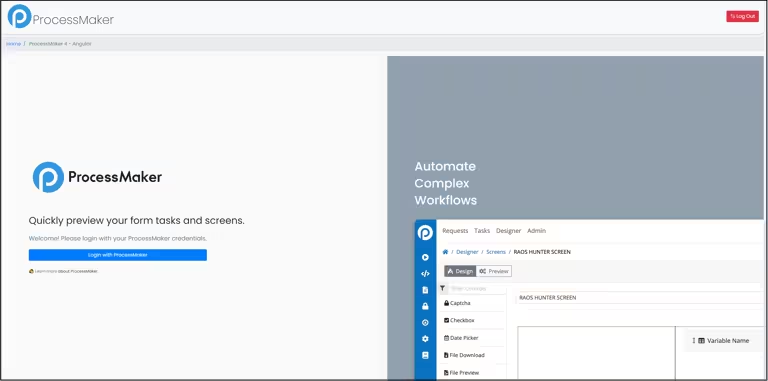
By following the steps, navigating to `http://localhost:4200/#/login` should display the login page.
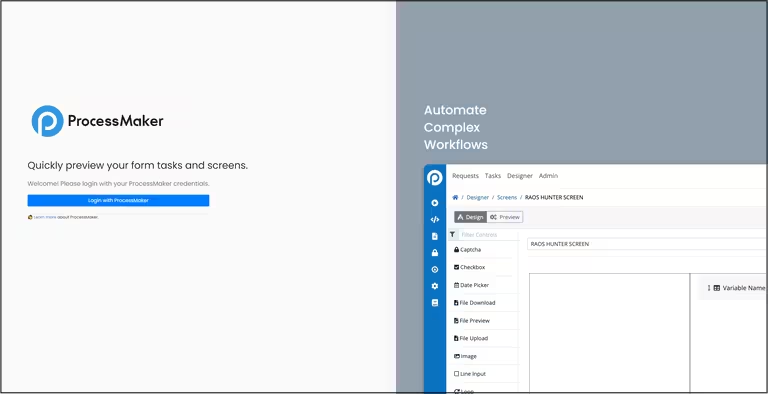
With the correct OAuth credentials and Client Application setup, logging into ProcessMaker should redirect you back to the login page, now displaying the navbar and breadcrumbs, indicating a successful login.